

Do you want to protect your content and looking for a WordPress content protection plugin for it? Then, you don’t need to look anywhere else. This time, we have collected these amazing plugins that help you to protect your content from being stolen and it is specially designed for any business owner, blogger, and WordPress site owner. These plugins also allow you to disable the right click, copy paste, content selection and also copy shortcuts on your website. Check out these amazing WordPress plugins and choose your favorite WordPress content protection plugin from the list below.
We have collected these WordPress content protection plugins that are as follows:
- WordPress Content Protection Plugin
- WP Content Copy Protection Pro
- WP Content Copy Protection & No Right Click
- Passster Password Protection
1).WordPress Content Protection Plugin
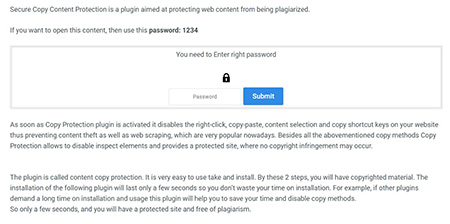 If you are looking to protect your content from copying, this Secure content protection plugin will help you prevent plagiarism. It is designed to block content via IP address, country, or password. It disables most common techniques, such as right-click, copy-paste, content selection, image drag & drop, save, print, and many other commands on your website. You can charge your users for reading your content by enabling paid content via PayPal, where you can set your preferred amount and currency. Other features of this plugin include the following.
Features:
- Watermark images
- Block Rest API
- Front/back blocker
- Gated content, content block & subscribe to view
- Mailchimp integration
- Export results
- Style settings
- Show alert message, etc.
More Info / View Demo Try Free Version
2).WP Content Copy Protection Pro
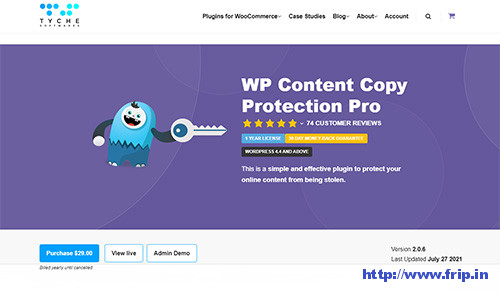 WP Content copy protection pro will allow you to protect your content from being stolen and it is specially designed for any business owner, blogger, and WordPress site owner. It is a lightweight plugin and also allows you to exclude certain pages, posts, and custom post types from being protected. It also allows you to remove feeds from content scrapers and autoblogs. It also disables the F12 function for accessing developer source code to view source code. Other features of this plugin are as follows.
Features:
- Basic image protection
- Disable keyboard copy controls (CTRL A,C & X) – Windows Only
- Disable text selection on PC & mobile friendly
- Disable right click content menu on all content
- Allow right click to work href links
- Disable Save page, Source view, and Print key functions
- Copy method from both the onscreen keyboard and shortcut context key
- Disable protection for registered users, admins, or other roles
- No Negative side effects on your SEO
- Exclude protection for a particular post, page or custom post type, etc.
More Info / View Demo Try Free Version
You might also like:
- Best WordPress Live Chat Plugin
- Best Event Ticket WordPress Plugin
- Best WordPress Ticket System Plugin
3).WP Content Copy Protection & No Right Click
 This WordPress plugin will allow you to protect your content by disabling the All Selection, Cut, Copy, Paste and Save option. It also disables right click or context menu and no one can save images from your site. It also comes with an easy to use control panel that allows you to set up these features on your site. You can easily show copyright protection messages on your website.
4).Passster Password Protection
 If you want to set password protection on your website then you can use this plugin to restrict pages and your entire website. You can even use shortcode to restrict a single area as well. It uses Ajax for unlocking with caching and without a reload and you can also use cookies to save the encrypted passwords for longer access. With the WordPress customizer, you can easily change the global styles & texts, etc.
What Next??
I would recommend you to use these WordPress Content Protection Plugins for your website as it comes with many features which I discussed above. I have already cleared all the features of a good WordPress Content Protection Plugin. So what are you waiting for?? Go and grab these awesome WordPress plugins for your next or existing website.