
Affiliate Disclosure: This post contains affiliate links. If you make a purchase through these links, I may earn a commission at no extra cost to you.
I wanted to create a website for my freelance business, and I know it requires a lot of effort, including buying a domain, setting up hosting, installing WordPress, selecting a theme, installing required plugins, and adjusting the theme to my requirements. So, all these things need time, but I want to create a website in a few hours.
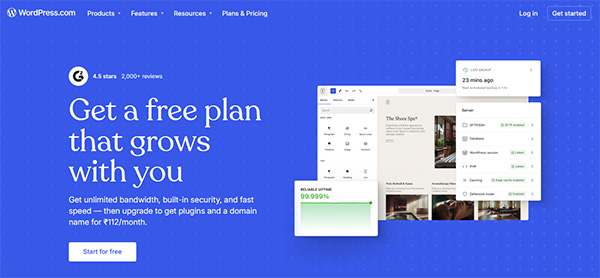 So, while searching for a quick solution. I stumbled upon the WordPress.com AI website builder. I heard about it from various people on forums, but never tried it. As people say, you can tell the AI what you want, and it builds the site for you. You don’t have to know about any coding at all. So, decided to test it out myself as I need the website quickly.
Try WordPress.com AI Website Builder Now
What is WordPress.com AI Website Builder?
Before proceeding, let me tell you about the WordPress.com AI website builder. It is basically a smart chat tool. You don’t have to learn any language to play with it. You just have to type your requirement, like what your business is about, everything in just simple words. You don’t have to mess around with templates or even drag any little boxes here and there across the screen. You just need to say what you need, and the AI will quickly make the layout, write the text, and even add pictures for you.
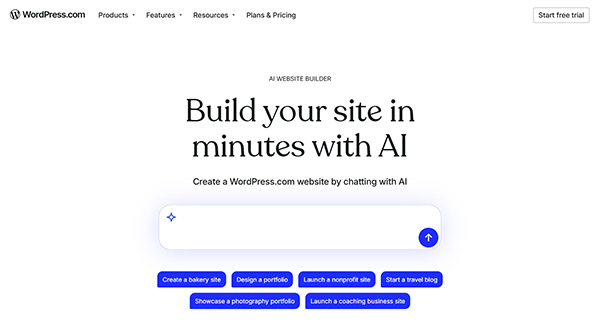 The best part is that it makes the Real WordPress website not just a fake or temporary page. WordPress.com offers complete hosting and updates, and it’s totally safe since it’s from the Automattic Team. You don’t pay to build the website, and you only pay when you want to launch it or make it live for your audience.
So, I would suggest you create a FREE account on WordPress.com and play with the WordPress.com AI website builder, since you don’t have to pay to try it out.
What I Actually Built?
As I have said, at the beginning, I wanted to build a simple freelance business website. So, I needed a home page, an about page, a list of services, and a contact form. I needed a simple, basic, professional website that I can show to my clients.
Therefore, I went to the WordPress.com AI website builder website and started talking with their AI tool. It took me only 34 minutes from opening the page to having a full, working draft of my freelance business website. Let me share how it went.
Step 1: Telling It What I Want
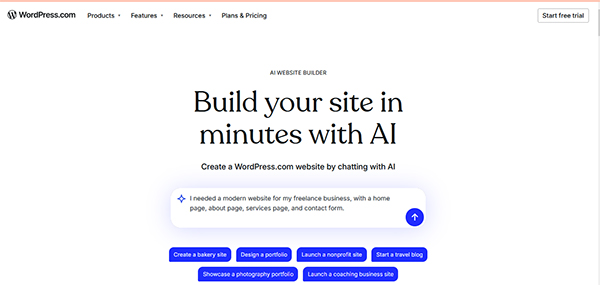
After opening the AI chat, it asks me what kind of website I want. So, I just typed a simple sentence. I told them I needed a modern website for a freelance business, with a home page, about page, services page, and contact form. Then I just hit the Enter key.
Step 2: Watching It Work
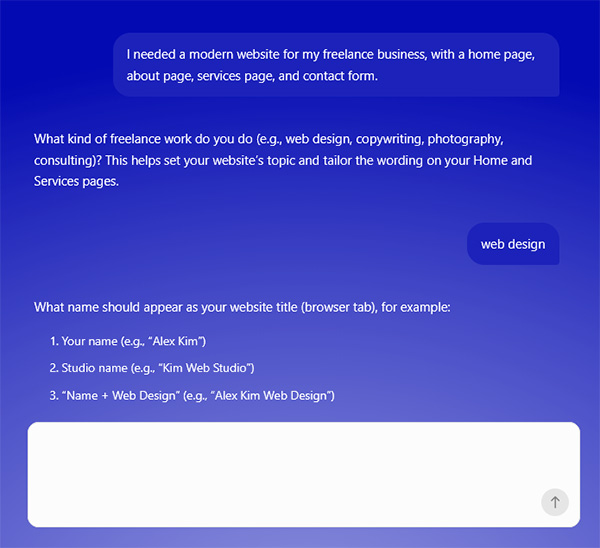
As you can see in the image above, after submitting the first prompt, it asks me what kind of freelance work I do, so I replied web design. And after that, it asks me what name should appear on my website. I replied to himanshu & studio name: Arora Web Design
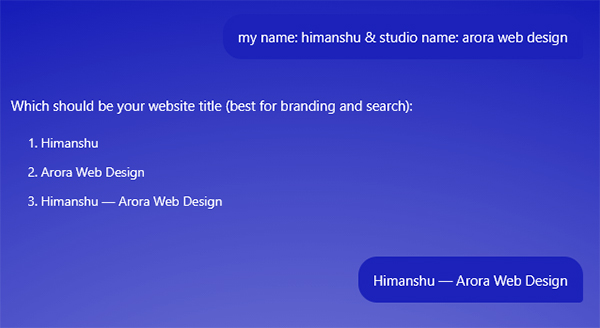
Now it asks to select the website title, so I replied – Himanshu Arora Web design.
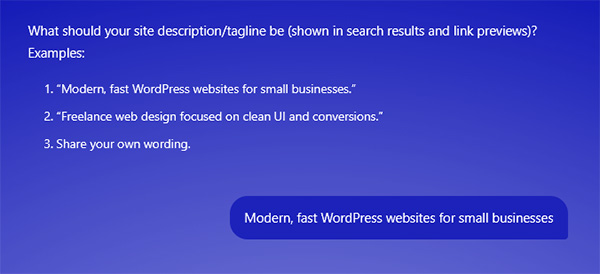
Now it asks me to select the description/tagline, so I replied: “Modern, fast WordPress website for small businesses.”
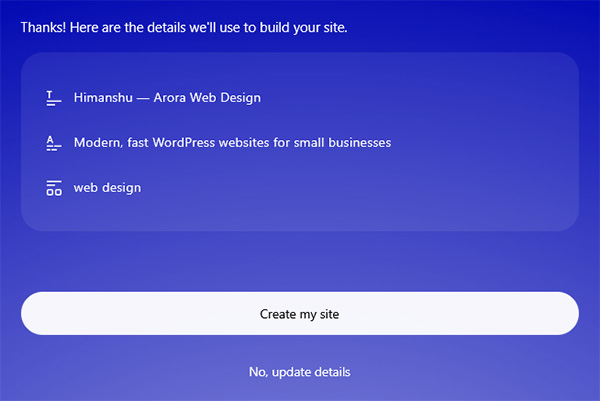
Now, just answering three questions, the WordPress.com AI website builder given the option to create my site.
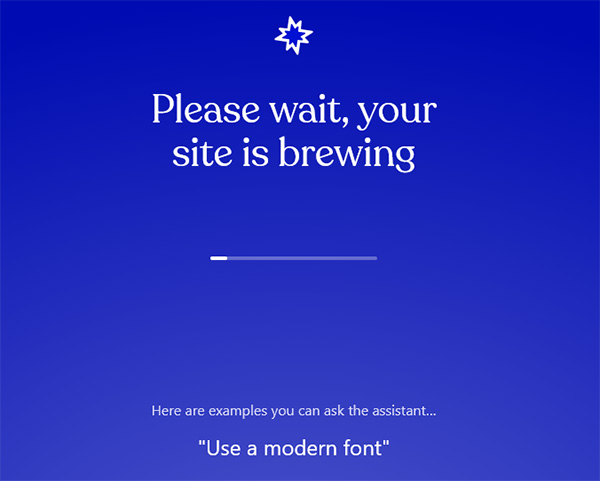
After clicking on the create my site option, it starts building my freelance business site.
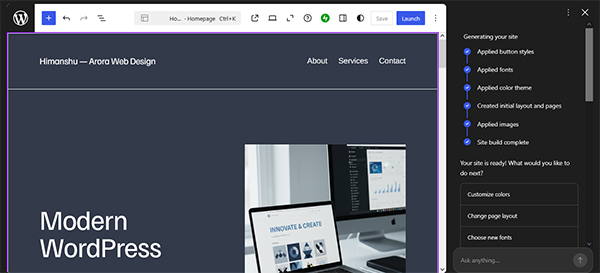
In just 15 minutes, my website is ready. It’s also given me various options, as you can see on the right sidebar, which I can customize.
Well, I thought I would get a simple, boring-looking template after a long loading screen, but that’s not the case here. After submitting the requirement, I can easily watch the AI building the pages in front of me. I just had 3 minutes; I also had a real homepage with a welcome message. It also created an about page, a service section, and a working contact form.
The final result is good. The design was clean and modern, as I had asked for. I can say that it was a fantastic starting point for me.
Step 3: Fixing It Up
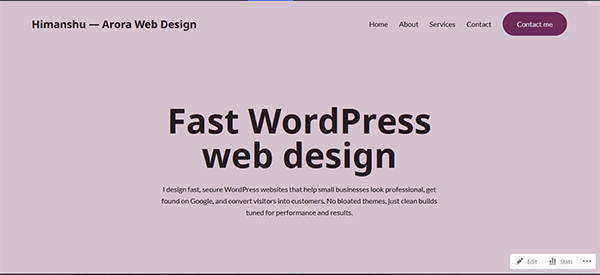
So, after the AI gave me the final draft, I started fixing some little issues with the freelance business website. I spent about 25 minutes fixing small things, like changing the AI text to match my actual services. I set up the navigation menu, removed the pictures, and added a highlighted ‘contact me’ button in the header, as shown in the image above. I don’t need any coding skills to make these changes; it was super easy for me to do, as if I were working in the normal editor.
The Best part is that the AI helper always stays on the screen, so whenever you have any doubt or issue, you can easily ask the AI, and it will provide a solution right away. It helps me to write better sentences when I get stuck. The AI did a lot of heavy lifting, but I still had to add my own personality and the real business details.
The Good Stuff
First of all, the WordPress.com AI website builder is fast. It takes only 10 minutes from a blank screen to creating a full website draft. It’s a gift for the writer who doesn’t have the coding skills but wants to share their thoughts. Plus, you will actually get a real WordPress website. The second thing is that you can easily add extra features to the site whenever you need. The backend, such as security and updates, will be handled for you without any issues.
What I had to fix
So, let’s talk about some issues that I have to fix while using these AI tools. First, I need to replace some of the pictures that didn’t meet my requirements. Second, I noticed that some things didn’t look good on mobile, so I fixed them, too. I also changed some text and wrote as per my requirement. None of this was hard work for me. It is just like editing a simple site, nothing else.
Who is This For?
After using the WordPress.com AI website builder, I can say it’s suitable for freelancers and small business owners who want a good-looking website but can’t afford an expensive agency. It is also good for bloggers who have tried to build their sites but gave up due to a lack of technical knowledge.
Well, if you want to create a giant online store, then my friend, this website builder is not for you. But if you want a professional-looking website that you can manage yourself, this is the best way to do it.
Pricing:
The website’s building cost is FREE. When you want to publish it, you have to choose a Paid Plan. The WordPress.com AI website builder comes in five plans
- Personal Plan: 4 dollar per month (billed every 12 months)
- Premium Plan: 8 dollar per month (billed every 12 months)
- Business Plan: 25 dollar per month (billed every 12 months)
- Commerce Plan: 40 dollar per month (billed every 12 months)
- Enterprise Plan: Starting at 25000 dollars per year
My Thoughts:
I did not think this tool would be that good, but I was wrong. I wanted to create a website in a few minutes, and this WordPress.com AI website builder solved my problem, delivering a ready-to-go, professional-looking website. This is a good thing for those who just put off their ideas because they don’t have the time or coding knowledge.
Build Your Site With WordPress AI Website Builder – (Free to Start)