

Are you looking for a WooCommerce Added to Cart Popup plugin to take your eCommerce store to the next level? Then, don’t worry. We have gathered these amazing WooCommerce added to cart popup plugins that make it easy for you to display a pop-up when your customer adds the product to their cart. By giving the pop-up option, you are offering your users a clear overview of the products they have added to the cart. It is one of the small steps that helps you to start boosting your sales. One of the best things this pop-up window does is that it informs the customer whenever he/she add the product to the cart. Check out these added to cart popup plugins and choose your favorite WooCommerce Added to Cart Popup from the list below.
We have collected these fantastic WooCommerce Added To Cart Popup Plugins that are as follows:
- WooCommerce Fast Cart Plugin
- Yith WooCommerce Added To Cart Popup
- WooCommerce Cart Plugin
- WooCommerce Popup Cart
- WooCommerce Side Cart
- WooCommerce Added To Cart Popup
1).WooCommerce Fast Cart Plugin
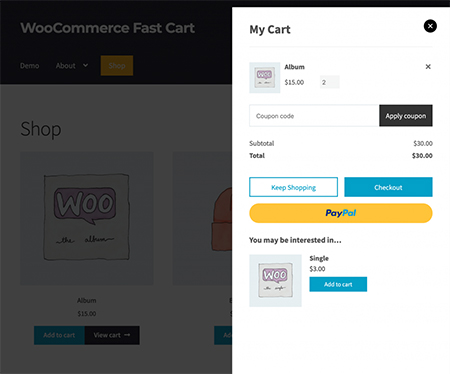 The WooCommerce fast cart plugin is one of those plugins that provides both the WooCommerce pop-up cart and checkout features. It allows you to increase conversion by streamlining the WooCommerce checkout flow. You can easily choose your button colors, design, and even layout. It supports all the popular payment gateways, such as PayPal, Stripe, Amazon, Braintree, and others. Other features of this plugin are as follows.
Features:
- Promoting upsells
- Works with any theme
- Replacing the WooCommerce cart page
- Checkout page, or even both
- Popup or floating cart, etc.
2).Yith WooCommerce Added To Cart Popup
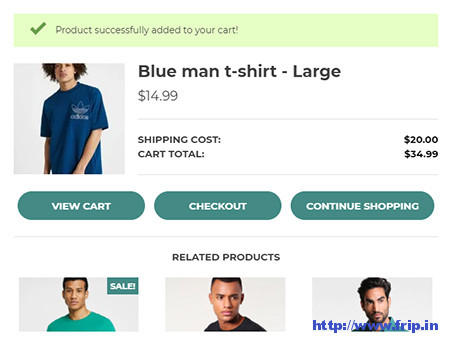
This plugin will help you improve your users’ experience by showing a pop-up to the user when they add a product to the cart. It also makes it easy for you to display related products within a pop-up window, encouraging cross-selling. You can easily display the details of the last product added or the complete list of all products in the cart. It also allows you to show the images of the products in the pop-up and even add the suggested products to the cart without abandoning the pop-up. Other features of this WooCommerce plugin are as follows.
Features:
- Eight pop-up entrance animations
- Set popup size
- Customizable labels for pop-up buttons
- Customize the color scheme
- Show a floating mini cart icon in your shop.
- Select the content to show in the pop-up
- Activate the plugin for mobile devices
- Various options for showing or hiding in the pop-up
- View cart & Continue shopping button
- Popup notification for the addition of a product in the cart etc.
3).WooCommerce Cart Plugin
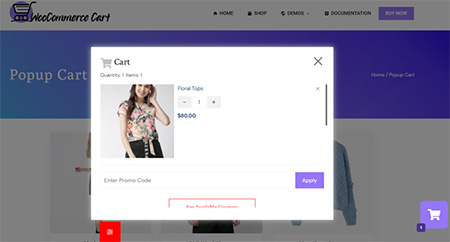 This WooCommerce plugin allows you to display a fancy mini cart in different locations of your eCommerce store. It will enable your customers to get a quick view of the products added to the bucket list and can easily update or remove any products as per their requirements. More than that, the plugin automatically calculates the total price for the product entered in the cart and displays the coupon code for currently running deals on your online store.
Features:
- 3 Different Layouts to Display Cart Contents i.e., Slide In, Floating, and Popup
- 6 Different Position Options to Display Your AJAX Mini Cart
- Option to Add Background Overlay While Displaying Cart Items
- Glassmorphism Layout: Transparent Cart Layouts
- 3 Different Shapes to Display Your Cart
- 2 Different Product Layouts to Display Cart Items
- Various Entrance, Exit, Hover and Idle State Animation Effects
- Display Suggested Items in a Responsive Carousel
- Option to Display Promo Code on Deals Running On Your Online Store
- Display Cart in Selective Page, Products, or Devices
- Advanced Typography Option to Configure Fonts
- Color Picker to Choose the Most Suitable Color, etc.
More Info / View Demo Try Free Version
4).WooCommerce Popup Cart
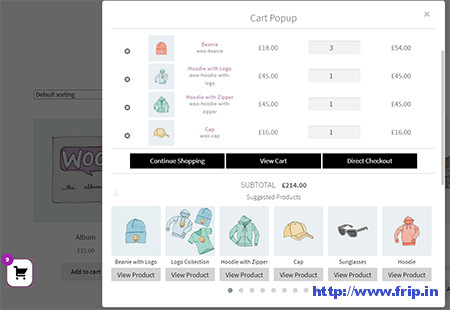
This WooCommerce plugin allows you to add all products to your shopping cart directly, eliminating the need to visit the shopping cart page. It also lets you add suggested products by category or by-products and resale in the pop-up window. You can easily adjust the position of the left and right mini cart counters and suggest products displayed in the carousel. It also allows you to change the cart heading font size, font color, product title size, and customize the popup cart for WooCommerce. Other features of this WooCommerce plugin are as follows.
Features:
- Quantity input box in cart
- Mobile friendly
- Change the mini car position.
- Enable/disable cart icon
- Opened once the item is added to the cart
- View cart popup
- Both shop & single product page
- Show suggested with a slider.
- Counter number of already added products
- Fully customizable setting options
- Ajax adds to the cart on quantity change, etc.
More Info / Download View Demo
You might also like:
- Best WooCommerce Checkout Manager Plugins
- Best WooCommerce Deposits Plugin
- Best WooCommerce Role Based Prices Plugins
5).WooCommerce Side Cart
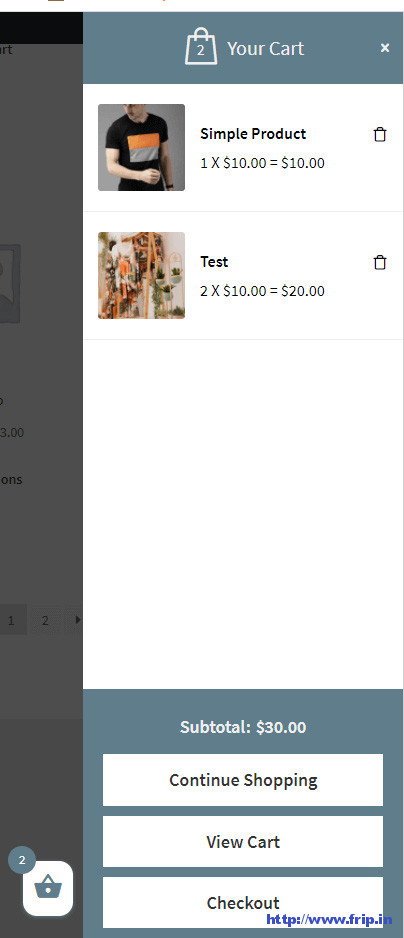
WooCommerce side cart plugin will allow your users to access cart items from anywhere on your site. It also lets you set cart width, height, color, and layout. You can even hide the cart on specific pages, making it easy to choose what to show in the cart.
6).Added To Cart Popup (Ajax)
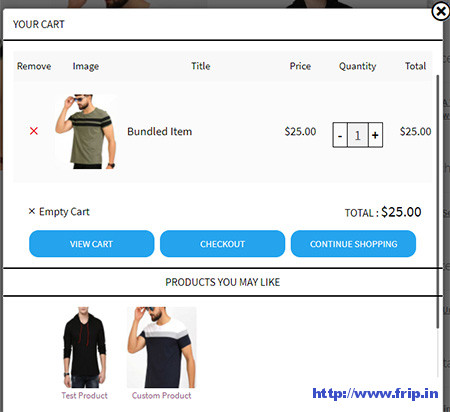
It will instantly show the item added to the cart with the view cart & checkout buttons, allowing the customers to choose where to navigate. It works both for variable & straightforward products. You can customize the button style and adjust the quantity inside a pop-up. Other features of this plugin include no page refresh, opening the added item popup, and more.
What Next??
I would recommend using these WooCommerce plugins for your website, as they offer many features that I discussed above. I have already cleared all the features of a useful added-to-cart popup plugin. So what are you waiting for?? Grab these awesome plugins for your upcoming website.